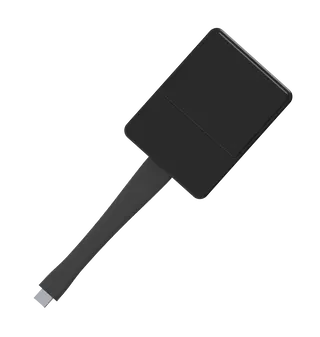
PES-C10
Sony PES-C10 Pod PC Software for Vision Exchange
The Sony PES-C10 is pod PC software for the Vision Exchange collaboration system. It brings the Vision Exchange main unit's interface to each pod table PC and enables pod sharing with the PEQ-C100 and PEQ-C130 main units. Each pod PC needs its own copy. The manufacturer has discontinued this model; SmartRooms Qatar can quote a compatible replacement for schools and businesses already running Vision Exchange in Doha.
What the PES-C10 does at each pod table
The Sony PES-C10 is installed on the computer at each pod table in a Vision Exchange collaboration setup, where a small group works together. It keeps the look and handling of the Vision Exchange main unit, so teachers and staff who already operate the main unit can move between the front of the room and the pods without retraining. In a classroom with mixed-ability learners or a meeting room where colleagues share one table, that familiarity shortens the time needed before a session runs smoothly.
Pod sharing with the PEQ-C100 and PEQ-C130
The software turns each pod PC into a sharing point for the main unit. Pod sharing is listed for two Vision Exchange main units: the PEQ-C100 and the PEQ-C130. Plan for a separate PES-C10 installation on every pod PC, because each pod table needs its own copy of the software.
- Works with PEQ-C100 and PEQ-C130 main units
- Separate installation required on every pod PC
- Same interface as the Vision Exchange main unit
Optional streaming output for lecture capture
An optional streaming output license can be added to the main system. It sends the main view to a central server, which suits lecture capture, recording and live distribution to people who are not in the room. Before committing to this feature, note the stated limit: HDCP-protected content cannot be streamed out. Lessons or events that rely on protected media will need a different source or a check before recording.
Where it fits in Qatar
An international school in Lusail refitting a learning space with pod tables for group work could use the pod PCs to send each group's work to the main display. A university training centre in Education City running workshops across several rooms could record the main view for participants who join later. A company in West Bay holding structured team workshops could use the same pod layout for brainstorming, with the main unit controlling the shared view.
Planning a replacement or extension
Because this model is discontinued, check the existing setup before ordering. Confirm which main unit is installed, since pod sharing is listed for the PEQ-C100 and PEQ-C130 only, and count the pod tables that need a PC running the software. Organisations that already own the system may need a current compatible replacement rather than a new copy of this version. A free site survey by the SmartRooms Qatar team can review room layout, cable routes and pod positions before any change is made.
Orders can be placed by purchase order (LPO) or through a government tender, including Monaqasat, and payment can be made by bank transfer, cheque or purchase order. To request a quote for a current equivalent or a compatible replacement, send the main unit model and the number of pod tables to SmartRooms Qatar. Quotations are usually issued within one working day.
Highlights
- Pod PC software for Vision Exchange collaboration systems
- Same interface as the Vision Exchange main unit
- Enables pod sharing with PEQ-C100 and PEQ-C130 units
- Separate software installation needed on each pod PC
- Optional streaming output license sends main view to a server
- HDCP-protected content cannot be streamed out
Room fit
Tell us the room size and platform (Teams, Zoom or BYOD) and we confirm the right combination with your quotation.
Estimated timeline
Quotation within 1 working day · delivery timing depends on stock availability, and we confirm it with your quotation.