Thursday, 22 October 2026 · 11 Jumada I 1448 AH Sun – Thu · 9:00 – 18:00
+971 56 914 9477 العربية
WhatsApp
This model is discontinuedThe manufacturer no longer makes it. Request a quote and we will propose the closest current replacement.
Suggested replacements ↓
Sony Video Conferencing Discontinued

Vision Presenter

Sony Vision Presenter Interactive Presentation Software

WhatsApp
Priceon request
QuotationWithin 1 working day
DeliveryConfirmed with your quote, based on stock
Overview

Sony Vision Presenter is a discontinued presentation software for combining live video, PowerPoint, web content, images and movies on one display. It plays up to five Full HD videos simultaneously, is operated from Android or iOS tablets and controls Sony SRG/BRC PTZ cameras over VISCA-over-IP. Suited to university lecture halls and corporate meeting rooms in Qatar. Sony has discontinued it, so request a quote for a current equivalent.

The Sony Vision Presenter is a discontinued presentation software package that brings live video, PowerPoint files, web pages, still images and movie clips into one managed display. Sony has withdrawn this model, so this page serves organisations that already run it, buyers comparing it with newer tools, and anyone who needs a replacement for an existing installation.

How it manages mixed content

Rather than switching between a laptop, a camera feed and a browser window, the software places each source into a window within a chosen layout. Still images in JPEG, GIF, PNG and BMP formats are supported, along with MP4 movies using H.264 video and AAC audio, PowerPoint presentations and Flash-enabled website content. Up to five Full HD (1920 x 1080) videos can play at the same time, and loop playback repeats a clip while the room is waiting.

Layouts for a single 4K screen or a blended wall

The software ships with preinstalled layout templates designed for two situations: one 4K TV or projector, and a double-width HD display built from blended projectors. When several projectors are combined, the output can reach 3552 x 1200. Presenters choose a template according to how many sources they have and which one should dominate the main screen, then drag sources into place or show a source in full screen from a tablet.

Camera control, inputs and outputs

Two capture cards handle live inputs. The documented combinations are four 3G-SDI with two HDMI, or two HDMI with two HDMI, and SDI and HDMI embedded audio are supported. Wi-Fi mirroring and IP remote cameras also appear in the input list. Output is DVI, DisplayPort or HDMI depending on the graphics card, at up to 4K 60p with 8-bit 4:2:0 colour sampling. Sony SRG/BRC Series PTZ cameras can be panned, tilted and zoomed from the system over VISCA-over-IP, but VISCA RS232C is not supported. Some HDMI connections also do not support HDCP, so check the protection status of each source before purchase.

Where it fits in Qatar

In Education City, a university lecture hall can show a lab recording beside live footage from a PTZ camera and a set of slides, all operated from one tablet. In West Bay, a corporate boardroom can keep a camera framed on the presenter while a presentation and background video share the wall. In Msheireb, a government briefing room can rotate PowerPoint decks, still images and short MP4 clips in a single session without stopping the room to change inputs.

What to plan before you request a quote

The manufacturer's recommended PC configuration lists Windows 8.1 Pro 64-bit, an Intel Core i7-3930K processor, 16 GB of PC3-12800 memory at 1600 MHz, two 1 TB 7200 rpm SATA drives and a 600 W power unit. Because that platform is dated, confirm that the operating system and hardware meet your IT security policy before reusing or replicating it. Plan cable routes for SDI or HDMI sources, projector positions for a blended wall and the network path for any IP camera.

SmartRooms Qatar offers a free site survey, which is worth booking before installation so the team can measure projector throw, check camera sightlines and confirm where the PC will sit. Quotations are usually issued within one working day, and purchase orders (LPOs) and government tenders, including Monaqasat, are accepted.

Because the Vision Presenter is discontinued, send SmartRooms Qatar your room plan, source list and camera models, and request a quote for a current equivalent or a compatible replacement.

Highlights

  • Five simultaneous Full HD (1920 x 1080) video playbacks
  • Live video, PowerPoint, websites, images and MP4 movies in one layout
  • Blended projector layouts reaching 3552 x 1200 with multiple projectors
  • Control by wireless mouse or Android and iOS tablets
  • Sony SRG/BRC PTZ camera control over VISCA-over-IP

Room fit

Tell us the room size and platform (Teams, Zoom or BYOD) and we confirm the right combination with your quotation.

Estimated timeline

Quotation within 1 working day · delivery timing depends on stock availability, and we confirm it with your quotation.

Specifications

15 specifications · Source: manufacturer · checked Oct 2026
Features9
Number of Simultaneous Video Playback
5 x Full HD
Layout Configuration
Preinstalled layout templates (6 templates for 4K/HD screen, 13 templates for blending projector screen, 11 templates for x2/x3 separate screen)
Playable Content
Web: Website, FLASH
Live Video /Audio Input
Capture card (x2), e.g., 3G-SDI (x4) + HDMI (x2) or HDMI (x2) + HDMI (x2) Wi-Fi Mirroring Remote Camera (IP)
Output*2
Video:DVI or DisplayPort or HDMI (Up to 4K/60P 8-bit 4:2:0) Audio:PC Line Out, HDMI Embedded Audio
Video Playback Control
Loop Play
Remote Control
Coolux AirScan
*1
Connect presentation PC to HDMI input when animation is required. For better image quality, higher-resolution files are recommended.
*2
Output interface varies by graphic cards.
Recommended Hardware6
PC Operating System
MS Windows 8.1 Pro English (64-bit)
PC Processor
Intel Core i7-3930K (3.8 GHz, 6 core)
PC Memory
16 GB (8 GB x 2) PC3-12800 (1600 MHz)
PC Hard Disk Drive
Primary:1 TB HDD (SATA, 7200 rpm) Secondary:1 TB HDD (SATA, 7200 rpm)
PC Power Unit
600 W ATX Power Unit
Remote Control Tablet
Sony:XPERIA Tablet Z Apple:iPad
Downloads

2 files from the manufacturer

Questions about Vision Presenter

Is the Sony Vision Presenter still available from Sony?
No. Sony has discontinued the Vision Presenter, so it is no longer offered as a new product by the manufacturer. SmartRooms Qatar can quote a current equivalent or a compatible replacement based on the inputs, camera control and screen layout your room needs. Request a quote with your requirements and the team will respond, usually within one working day.
Which Qatar settings suit the Vision Presenter best?
It suits lecture halls in Education City that need several sources visible together, boardrooms in West Bay, government briefing rooms in Msheireb and training rooms in Al Sadd. It is most useful where a presenter must show live video, slides and clips on the same display without switching inputs during a session.
How many videos can play at the same time?
Up to five Full HD (1920 x 1080) videos can play simultaneously within the same layout. In a lecture hall in Education City, that could mean a lab recording, a live feed and a set of slides on one wall, all started from one tablet. Loop playback is also available for clips that must repeat while the room is waiting.
Which file types does it support?
It supports still images in JPEG, GIF, PNG and BMP formats, MP4 movies with H.264 video and AAC audio, PowerPoint presentations, and Flash-enabled website content. The manufacturer recommends higher-resolution files for better image quality. Because modern browsers no longer support Flash, test any website content on the target system before relying on it in a meeting or lecture.
Can it control PTZ cameras?
Yes, for Sony SRG/BRC Series PTZ cameras that support VISCA-over-IP. Pan, tilt and zoom can be controlled through the system. VISCA RS232C is not supported, so a camera that only offers a serial connection will not work with this software. Confirm your camera model and network connection during planning, before any cable is pulled.
How is it operated day to day?
Presenters can use a wireless mouse, such as an Air Mouse from a third-party supplier, or an Android or iOS tablet. Tablet operation covers changing layouts, dragging sources onto the main screen and showing a source in full screen. The manufacturer lists the Sony Xperia Tablet Z and Apple iPad as remote control tablets, so check that your device type is supported before buying.
What PC does it need?
The manufacturer's recommended configuration is Windows 8.1 Pro 64-bit, an Intel Core i7-3930K processor, 16 GB of PC3-12800 memory at 1600 MHz, two 1 TB 7200 rpm SATA hard drives and a 600 W power unit. Because this platform is dated, confirm that the operating system and hardware meet your IT security policy before reusing or replicating it.
What video inputs can it take?
It has two capture cards. The listed combinations are four 3G-SDI with two HDMI inputs, or two HDMI with two HDMI inputs. SDI and HDMI embedded audio are supported, and Wi-Fi mirroring and IP remote cameras appear as live sources. Count your sources before ordering, because the mix of inputs determines the capture card configuration.
What outputs and screen sizes does it drive?
Output is DVI, DisplayPort or HDMI depending on the graphics card, up to 4K at 60p with 8-bit 4:2:0 colour sampling. Layouts run on a single 4K TV or projector, or on a double-width HD display made from blended projectors, which can reach 3552 x 1200 with multiple projectors. For a wide wall in a hall, confirm the projector count and graphics card output before requesting a quote.
Can it run a West Bay boardroom that calls teams abroad?
It can serve as the content and camera layer in a West Bay boardroom, with a PTZ camera framed on the presenter while slides and background video share one display. Video call connections to teams abroad depend on your conferencing platform, so ask for the connection options of any replacement before ordering.
Can a government office buy it through an LPO or tender?
Yes. SmartRooms Qatar accepts purchase orders (LPOs) and government tenders, including Monaqasat, and accepts payment by bank transfer, cheque or purchase order. Because the model is discontinued, ask for a quotation that names a current equivalent so the tender specification matches what is delivered. Products are covered by the manufacturer's warranty.
What should a university plan before installing it in a lecture hall?
Plan cable routes for SDI or HDMI sources, projector positions for any blended wall, mounting points for PTZ cameras, a network path for IP cameras, and a secure, ventilated spot for the PC. In an Education City lecture hall, measuring these points before ordering prevents rework when the room is wired and the layout is set.

Suggested replacements

Biamp MAX Connect Biamp MAX Connect 910-02278 Wireless Presentation System
CB
Clevertouch CleverCast Clevertouch CleverCast Wireless Presentation Device
Compatible
Clevertouch CleverHub 2 Clevertouch CleverHub 2 Wireless Presentation and Screen Sharing Device
Yes - CleverCast only NRCS
iiyama WP-D002C iiyama WP-D002C USB-C Wireless Presentation Dongle
Wireless presentation
iiyama WP-MEET03M iiyama WP-MEET03M Wireless Presentation Solution
Wireless presentation

Similar models

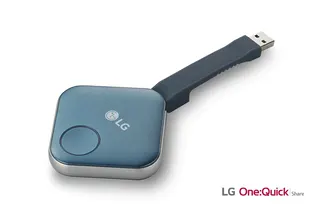
LG SC-00DA LG One:Quick Share SC-00DA Wireless Screen Sharing USB Dongle
USB 2.0 Type A (1)
Maxhub Wireless Box WB05 MAXHUB Wireless Box WB05 Wireless Presentation Box
Wireless presentation
Maxhub Wireless Dongle WT13 MAXHUB Wireless Dongle WT13 4K Wireless Screen Sharing Dongle
Wireless presentation
Newline Newline Click2Cast Newline Click2Cast Wireless Presentation Dongle for Interactive Displays
23QA
Email Call