Thursday, 22 October 2026 · 11 Jumada I 1448 AH Sun – Thu · 9:00 – 18:00
+971 56 914 9477 العربية
WhatsApp
This model is discontinuedThe manufacturer no longer makes it. Request a quote and we will propose the closest current replacement.
Suggested replacements ↓

RoomPanel

Yealink RoomPanel 8-inch Meeting Room Scheduling Panel

Video
1280x800
Microphones
2 x Array Microphones
Speakers
2 x Watt Speakers
WhatsApp
Priceon request
QuotationWithin 1 working day
DeliveryConfirmed with your quote, based on stock
PDFDownload datasheet (Yealink RoomPanel Datasheet.pdf)
Overview

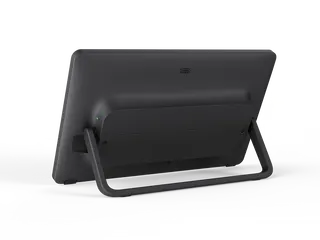
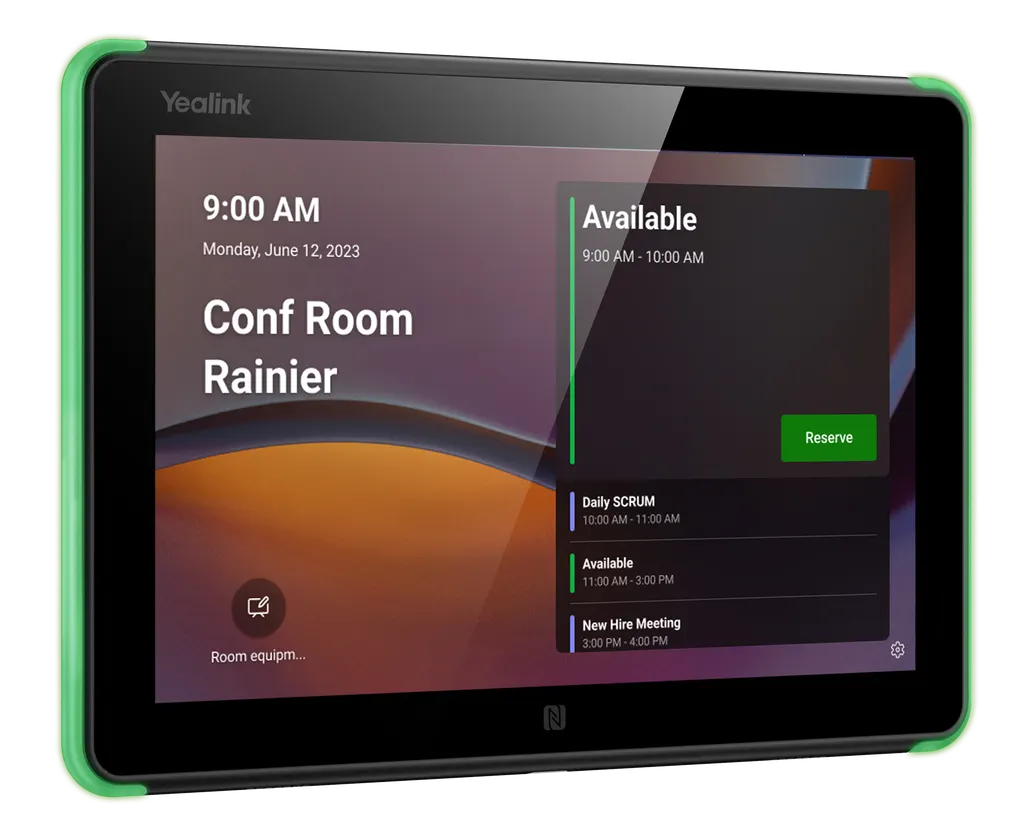
The Yealink RoomPanel is an 8-inch touch panel mounted outside meeting rooms to show bookings and let staff reserve a free room on the spot. It offers PoE power, 802.11ac Wi-Fi, Bluetooth 5.0 for RoomSensor pairing, 13.56 MHz NFC/RFID and full-RGB status LEDs. Yealink has discontinued this model, so SmartRooms Qatar can quote a current equivalent for offices, schools and government buildings in Qatar.

What the RoomPanel does at the meeting room door

The RoomPanel is a compact all-in-one panel built to sit beside a meeting room entrance. Its 8-inch touchscreen shows the current booking, lets staff reserve a free room on the spot, and displays the next available time. Full-RGB LED bars show the room status from a distance, so people can judge availability before they reach the door. The standard edition works with Yealink's Workspace Management Platform as well as Microsoft Teams, Zoom and several third-party meeting platforms.

Hardware facts that shape the purchase

The display is an 8-inch LCD in a 16:10 format with a 1280x800 resolution and 1000:1 contrast. Its 10-point capacitive touch surface has an anti-fingerprint coating, and ambient light and proximity sensors adjust brightness and wake the screen. Connectivity covers one Fast Ethernet port (10/100 Mbps), 802.11a/b/g/n/ac Wi-Fi, Bluetooth 5.0, 13.56 MHz NFC/RFID and one USB-C port. Two array microphones and two speakers are built in. The unit draws power from PoE under IEEE 802.3af or from a 12 V power adapter. Its display measures 209 x 146 mm and the unit weighs 0.53 kg.

For network access, the panel supports 802.1x authentication with EAP-MD5, EAP-TLS, EAP-PEAP/MSCHAPv2 and EAP-TTLS/EAP-MSCHAPv2, which matters for organisations that control devices through their network.

Where it fits in Qatar

  • Government ministry in West Bay: several boardrooms along one executive corridor, where staff need to see which room is free before walking down from the lift lobby.
  • Private school in Al Wakrah: staff meeting rooms and parent interview rooms shared across departments, with bookings made directly from the panel.
  • Consultancy office in Lusail: meeting rooms booked through Outlook or Teams invitations, where a change to a meeting should appear at the door straight away.

Planning the mounting, power and environment

Mount the panel at about 1.4 m, the height the manufacturer gives for its body sensor to detect people reliably. Detection is under 0.8 m with a vertical mount and under 0.7 m with a 20 degree tilt bracket, within a 20 degree angle either side. Mounting options are a surface mount onto a 2-gang US electrical box, a 20 degree tilt kit for walls or glass, and a flush mount kit. The rated operating range is 0 to 40 degrees C and 10 to 95 percent humidity, non-condensing. In Qatar, that means indoor, air-conditioned locations, away from sun-facing glass, exterior walls and open entrances where summer heat exceeds 45 degrees C.

A free site survey from SmartRooms Qatar lets us check wall type, cable routes and the PoE switch port before any panel is installed, so the right bracket is chosen for each wall.

Discontinued model: what this means for your room booking

Yealink discontinued the RoomPanel with an end-of-sale date of 31 December 2024, and new orders are no longer accepted. Under the manufacturer's end-of-life policy, the first year after end-of-sale covers hardware and software technical support and security fixes. In years two to five, Yealink will attempt software bug fixes but will not add new features, and hardware spares depend on local distributor stock. Yealink names the RoomPanel E2 as its recommended replacement.

If you already run RoomPanels, plan your support now. If you are buying new, request a quote for the RoomPanel E2 or another current equivalent. Send SmartRooms Qatar your room count, wall types and calendar platform, and we will return a quotation, usually within one working day. Purchase orders and LPOs are accepted, which suits schools and government buyers ordering several units.

Highlights

  • 8-inch 16:10 LCD with 1280x800 resolution
  • 10-point capacitive multi-touch with anti-fingerprint coating
  • Full-RGB LED bars show room status from any angle
  • PoE (IEEE 802.3af) or 12 V power adapter
  • 802.11a/b/g/n/ac Wi-Fi, Bluetooth 5.0 and 13.56 MHz NFC/RFID
  • Operating range 0 to 40°C; discontinued, RoomPanel E2 recommended

Room fit

Tell us the room size and platform (Teams, Zoom or BYOD) and we confirm the right combination with your quotation.

Estimated timeline

Quotation within 1 working day · delivery timing depends on stock availability, and we confirm it with your quotation.

Specifications

24 specifications · Source: manufacturer · checked Oct 2026
Basic1
Operating System
Android 10
Display7
Size
8" LCD Panel (16:10)
Resolution
1280x800
Contrast
1000:1
Viewing Angle(H/V)
±80° /±80°
Proximity Sensor
Yes
Ambient Light Sensor
Yes
Details
10 points capacitive multi-touch Anti-fingerprint Coating
Connectivity8
Ethernet
1 x Fast Ethernet port (10/100 Mbps)
Wired network
IEEE 802.1x:
Wi-Fi
802.11a/b/g/n/ac
Bluetooth
5.0
RFID/NFC
13.56 MHz
USB Port
1 x USB-C port
Button
1 x Reset pinhole
Details
Network: EAP-MD5 EAP-TLS EAP-PEAP/MSCHAPv2 EAP-TTLS/EAP-MSCHAPv2
Audio2
Microphone
2 x Array Microphones
Speaker
2 x Watt Speakers
Power Supply1
Details
Power over Ethernet IEEE 802.3af 12 V Power Adapter
Mounting Options1
Details
Surface mount for a 2-gang US electrical box 20° tilt mount kit for wall or glass Flush mount kit for wall or glass
Environmental2
Operating Temperature
0~40℃
Operating Humidity
10~95%,non-condensing
Dimensions2
Display size (mm)
209 x 146 (8.23″ x 4.06″)
Weight
0.53 Kg (1.168 lb)

Downloads

59 files from the manufacturer
PDF Datasheets Yealink RoomPanel Datasheet.pdf 3.0 MB Yealink RoomPanel datasheets (PDF, 3.0 MB) URL Datasheets · Opens on manufacturer site Download Yealink RoomPanel datasheets (URL) URL Datasheets · Opens on manufacturer site Download Yealink RoomPanel datasheets (URL) PDF Datasheets · Opens on manufacturer site Yealink RoomPanel Datasheet (DE).pdf Yealink RoomPanel datasheets (PDF) PDF Datasheets · Opens on manufacturer site Yealink RoomPanel Datasheet (ES).pdf Yealink RoomPanel datasheets (PDF) PDF Datasheets · Opens on manufacturer site Yealink RoomPanel Datasheet (FR).pdf Yealink RoomPanel datasheets (PDF) PDF Datasheets · Opens on manufacturer site Yealink RoomPanel Datasheet (IT).pdf Yealink RoomPanel datasheets (PDF) PDF Datasheets · Opens on manufacturer site Yealink RoomPanel Datasheet (NL).pdf Yealink RoomPanel datasheets (PDF) URL Datasheets · Opens on manufacturer site  Download Yealink RoomPanel datasheets (URL) URL Datasheets · Opens on manufacturer site  Download Yealink RoomPanel datasheets (URL) URL Datasheets · Opens on manufacturer site  Download Yealink RoomPanel datasheets (URL) URL Datasheets · Opens on manufacturer site  Download Yealink RoomPanel datasheets (URL) URL Datasheets · Opens on manufacturer site  Download Yealink RoomPanel datasheets (URL) URL Datasheets · Opens on manufacturer site  Download Yealink RoomPanel datasheets (URL) PDF Manuals & guides Yealink RoomPanel Quick Start Guide (EN, DE, FR, ES) V1.4.pdf 3.2 MB Yealink RoomPanel manuals & guides (PDF, 3.2 MB) URL Manuals & guides · Opens on manufacturer site Accessibility Yealink RoomPanel manuals & guides (URL) URL Manuals & guides · Opens on manufacturer site Administrator Password Yealink RoomPanel manuals & guides (URL) URL Manuals & guides · Opens on manufacturer site Advanced Network Yealink RoomPanel manuals & guides (URL) URL Manuals & guides · Opens on manufacturer site Backup and Reset Yealink RoomPanel manuals & guides (URL) URL Manuals & guides · Opens on manufacturer site Basic Yealink RoomPanel manuals & guides (URL) URL Manuals & guides · Opens on manufacturer site Certificate Yealink RoomPanel manuals & guides (URL) URL Manuals & guides · Opens on manufacturer site Check In & Check Out for Zoom Yealink RoomPanel manuals & guides (URL) URL Manuals & guides · Opens on manufacturer site Check Out for Microsoft Teams Yealink RoomPanel manuals & guides (URL) URL Manuals & guides · Opens on manufacturer site Controller Quick User Guide for Zoom Yealink RoomPanel manuals & guides (URL) URL Manuals & guides · Opens on manufacturer site Create Account Yealink RoomPanel manuals & guides (URL) URL Manuals & guides · Opens on manufacturer site DHCP Option Yealink RoomPanel manuals & guides (URL) URL Manuals & guides · Opens on manufacturer site Display Yealink RoomPanel manuals & guides (URL) URL Manuals & guides · Opens on manufacturer site Extend the Meeting Reservation for Microsoft Teams Yealink RoomPanel manuals & guides (URL) URL Manuals & guides · Opens on manufacturer site Language Yealink RoomPanel manuals & guides (URL) URL Manuals & guides · Opens on manufacturer site License Yealink RoomPanel manuals & guides (URL) URL Manuals & guides · Opens on manufacturer site Log In and Out Teams Account Yealink RoomPanel manuals & guides (URL) URL Manuals & guides · Opens on manufacturer site Log In and Out Zoom Account Yealink RoomPanel manuals & guides (URL) URL Manuals & guides · Opens on manufacturer site Microsoft Teams Admin Center Yealink RoomPanel manuals & guides (URL) URL Manuals & guides · Opens on manufacturer site Network Diagnosis Yealink RoomPanel manuals & guides (URL) URL Manuals & guides · Opens on manufacturer site Pair Yealink RoomSensor Yealink RoomPanel manuals & guides (URL) URL Manuals & guides · Opens on manufacturer site Power Saving Mode for Microsoft Teams Yealink RoomPanel manuals & guides (URL) URL Manuals & guides · Opens on manufacturer site Proxy Server Yealink RoomPanel manuals & guides (URL) URL Manuals & guides · Opens on manufacturer site Quick User Guide for Microsoft Teams Yealink RoomPanel manuals & guides (URL) URL Manuals & guides · Opens on manufacturer site Register Account Yealink RoomPanel manuals & guides (URL) URL Manuals & guides · Opens on manufacturer site Reserve Meeting Yealink RoomPanel manuals & guides (URL) URL Manuals & guides · Opens on manufacturer site RoomSensor Pro Commissioning Yealink RoomPanel manuals & guides (URL) URL Manuals & guides · Opens on manufacturer site Set Up a Yealink RoomPanel Yealink RoomPanel manuals & guides (URL) URL Manuals & guides · Opens on manufacturer site System Diagnostic and Export Log Yealink RoomPanel manuals & guides (URL) URL Manuals & guides · Opens on manufacturer site Test RoomSensor Yealink RoomPanel manuals & guides (URL) URL Manuals & guides · Opens on manufacturer site Time and Date Yealink RoomPanel manuals & guides (URL) URL Manuals & guides · Opens on manufacturer site Update Yealink RoomPanel Firmware Yealink RoomPanel manuals & guides (URL) URL Manuals & guides · Opens on manufacturer site Update Yealink RoomSensor Firmware Yealink RoomPanel manuals & guides (URL) URL Manuals & guides · Opens on manufacturer site Wi-Fi Yealink RoomPanel manuals & guides (URL) URL Manuals & guides · Opens on manufacturer site Wired Network Yealink RoomPanel manuals & guides (URL) PDF Manuals & guides · Opens on manufacturer site Yealink RoomPanel Quick Start Guide (IT) V1.pdf Yealink RoomPanel manuals & guides (PDF) URL Manuals & guides · Opens on manufacturer site Zoom Admin Management Yealink RoomPanel manuals & guides (URL) DXF Drawings & CAD · Opens on manufacturer site RoomPanel CAD Drawings.dxf Yealink RoomPanel drawings & cad (DXF) STP Drawings & CAD · Opens on manufacturer site RoomPanel CAD Drawings.stp Yealink RoomPanel drawings & cad (STP) 60 - Software & firmware · Opens on manufacturer site RoomPanel 147.520.0.60 - Firmware & Release Note Yealink RoomPanel software & firmware (60 - FIRMWARE & RELEASE NOTE) 47 - Software & firmware · Opens on manufacturer site RoomPanel-OS10 147.520.0.47 - Firmware & Release Note Yealink RoomPanel software & firmware (47 - FIRMWARE & RELEASE NOTE) 50 - Software & firmware · Opens on manufacturer site RoomPanel-OS13 147.520.0.50 - Firmware & Release Note Yealink RoomPanel software & firmware (50 - FIRMWARE & RELEASE NOTE) URL Other documents · Opens on manufacturer site Rooms Product Family Yealink RoomPanel other documents (URL) PDF Other documents · Opens on manufacturer site Yealink Regulatory Notice V1.2.pdf Yealink RoomPanel other documents (PDF) MP4 Other documents · Opens on manufacturer site Yealink RoomPanel Unboxing V1.0.mp4 Yealink RoomPanel other documents (MP4)

Questions about RoomPanel

Can I still order the Yealink RoomPanel?
No. Yealink discontinued the RoomPanel with an end-of-sale date of 31 December 2024, so the manufacturer no longer accepts new orders. SmartRooms Qatar can quote a current equivalent or a compatible replacement, and Yealink recommends the RoomPanel E2 as the successor. If your organisation already runs RoomPanels, ask us to check spares and support options, because hardware spares depend on local distributor stock.
What is the Yealink RoomPanel used for?
It is a meeting room booking panel mounted outside a room. The 8-inch touchscreen shows the room's meeting details and lets staff reserve an available room on the spot, while full-RGB LED bars indicate whether the room is free or in use. It suits offices, schools and government buildings with many small meeting rooms where people need to check availability before walking in.
Which meeting platforms does the standard RoomPanel support?
According to the manufacturer, the standard edition is compatible with Yealink's Workspace Management Platform, Microsoft Teams, Zoom and other third-party meeting platforms. Some booking features, such as automatic release, depend on the meeting scheduling application you use. Confirm which calendar and scheduling system your organisation runs before ordering, so the panels match your existing setup from the first day.
How does the RoomSensor link with the RoomPanel?
Bluetooth 5.0 connects the RoomPanel directly to a Yealink RoomSensor without an extra gateway. When the sensor detects people entering, the panel can support automatic check-in and status changes. If the occupancy detected in the room does not match the panel display, a pop-up message appears. Auto reserve and release depend on the scheduling application. Ask SmartRooms Qatar whether a RoomSensor is included in your quotation.
Where should the panel be mounted outside a boardroom?
The optimum height for the body sensor is 1.4 m. In a boardroom corridor in a ministry building in West Bay, mount the panel at that height beside the door, clear of door swings and window glare. Avoid recessed or shadowed wall sections where the sensor may not see people approaching. The surface mount or flush mount kit can suit the wall finish, and a free site survey confirms which option fits.
How far away can the RoomPanel detect people?
With a vertical mount, the body sensor detects people within less than 0.8 m, across a 20 degree angle either side. With the 20 degree tilt bracket, detection range drops to less than 0.7 m. In a wide corridor at a university in Education City, a student passing two metres away will not wake the panel, so place it where people pass close to the door or check the layout during the site survey.
Can it be mounted on glass or wooden walls?
Yes. The manufacturer lists mounting for concrete walls, glass and wood, with a 20 degree tilt kit for walls or glass and a flush mount kit. Glass-walled meeting rooms in an office at Msheireb are a common case. Glass needs the correct bracket and fixing method, so arrange a site survey before any drilling begins. The feature list also mentions brackets and 3M Velcro fixing, which the quotation will confirm.
Can I power it over Ethernet, and what else is needed?
Yes. The RoomPanel supports Power over Ethernet under IEEE 802.3af, or it can use a 12 V power adapter. In a hotel or clinic where cabling runs to a switch cupboard, PoE means one cable per panel for both power and data, which keeps the corridor tidy. Confirm that your switch port supports IEEE 802.3af before ordering. The Ethernet port is Fast Ethernet at 10/100 Mbps.
Can it be installed in a hot, sunny area in Qatar?
The rated operating temperature is 0 to 40 degrees C, with 10 to 95 percent humidity, non-condensing. Qatar summers can pass 45 degrees C, so install the panel indoors in air-conditioned space, not on exterior walls, near sun-facing glass or at open entrances. A lobby with constant door traffic in Doha suits the panel only if the space is air-conditioned. Confirm the exact location with SmartRooms Qatar before installation.
What network security does the RoomPanel support?
The RoomPanel supports 802.1x network access with EAP-MD5, EAP-TLS, EAP-PEAP/MSCHAPv2 and EAP-TTLS/EAP-MSCHAPv2. Wireless connectivity uses 802.11a/b/g/n/ac, so a panel can be placed where a cable is hard to run. For a government office with a managed network, ask your IT team which EAP method your authentication server uses before the panels are configured.
What support is available now that it is discontinued?
Yealink's policy provides full product support for one year after end-of-sale, covering hardware and software technical support, existing bug fixes, and security fixes. During years two to five, Yealink will attempt software bug fixes but will not add new features. Hardware repairs and spares go through local Yealink distributors and depend on stock. Plan replacements early, especially for deployments covering several meeting rooms.
Is the RoomPanel E2 a suitable replacement?
Yealink recommends the RoomPanel E2 as the replacement for the RoomPanel and describes it as functionally richer. Compare its datasheet with your current room setup before choosing. SmartRooms Qatar can quote the RoomPanel E2 or another current equivalent. Schools and government buyers ordering several panels can issue a purchase order or LPO, and our team usually returns quotations within one working day.

Suggested replacements

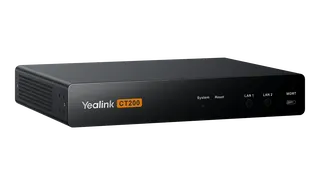
Yealink CT200 Yealink CT200 Room Device Navigator
Control & scheduling
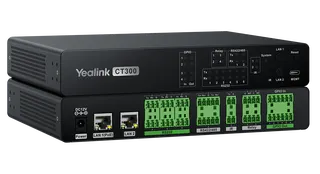
Yealink CT300 Yealink CT300 Advanced Room Device Navigator
Control & scheduling
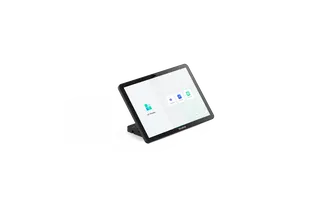
Yealink CTP25 Yealink CTP25 10.1-Inch Touch Console for Meeting Control
1280 x 800
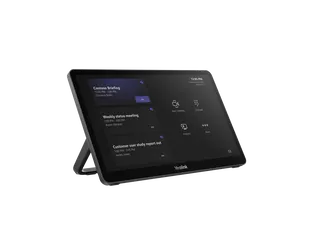
Yealink MTouch Plus Yealink MTouch Plus 11.6-inch 1080P Touch Control Panel
Control & scheduling
Yealink MTouch Plus-EXT Yealink MTouch Plus-EXT 11.6-inch Touch Console Extension Screen
Control & scheduling

Similar models

Biamp Evoko Kleeo Power Supply Biamp Evoko Kleeo Power Supply 910-00800 for Kleeo Desk Manager
Control & scheduling
Biamp Evoko Liso Power Supply Biamp Evoko Liso Power Supply 910-11936 for Liso Room Manager
Control & scheduling
Email Call