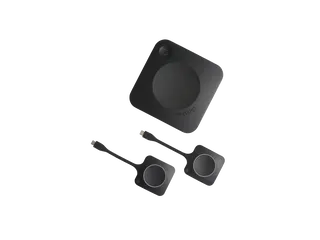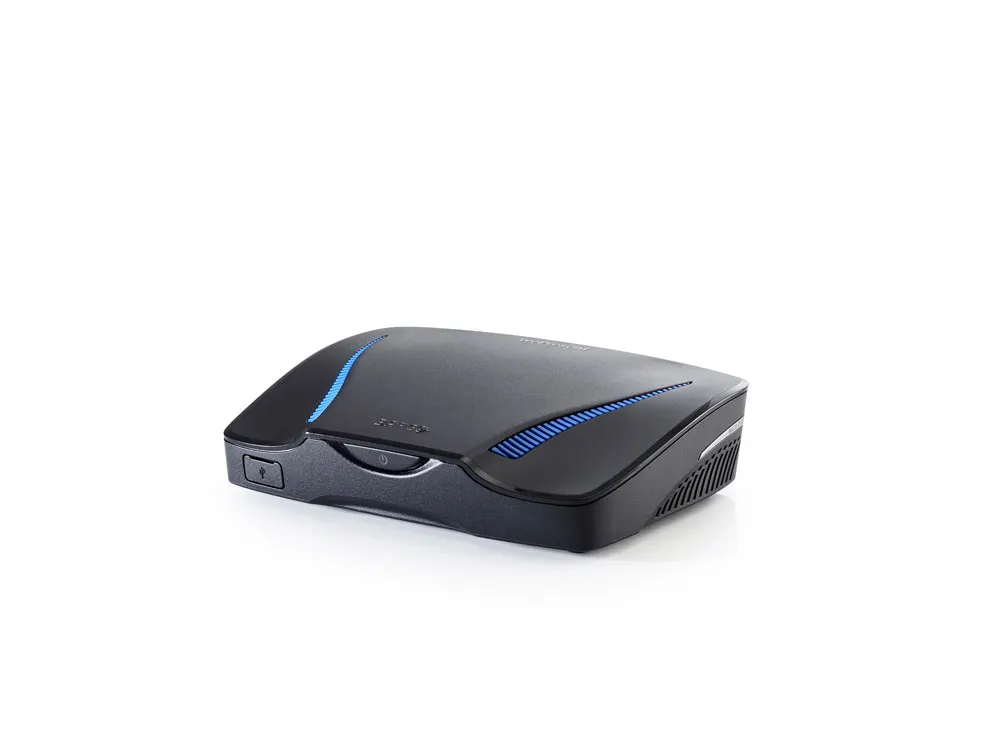
wePresent WiCS-2100
Barco wePresent WiCS-2100 Wireless Presentation System
- Connectivity
- 1 x Ethernet LAN
The Barco wePresent WiCS-2100 is a wireless presentation system that shares content from Windows, macOS, Chromebook, Android and iOS devices through one 1080p HDMI output. It handles up to four sources at once and supports PoE. Barco has discontinued it, with ClickShare C-10 as the replacement. Request a quote for a current equivalent in Qatar, suited to schools and meeting rooms.
What the WiCS-2100 does in a meeting room
The Barco wePresent WiCS-2100 is a wireless presentation gateway. Participants connect their own laptop, tablet or phone and show their screen on the room display through a single 1080p HDMI output, so nobody has to swap cables at the table. It works with Windows 7, 8 and 10 and later, macOS 10.9 and later, Chromebook OS 74 and later, Android 4.1 and later and iOS 9 and later.
Up to four sources can appear at once in a dynamic screen layout, which suits meetings where several people present in turn or compare documents side by side. The unit accepts up to 32 users over Wi-Fi or 64 over its wired LAN port, so the Ethernet connection is the better choice for a large training room.
Wireless and wired connectivity
The wireless link runs on 2.4 GHz (802.11 b/g/n) or 5 GHz (802.11 a/n/ac), and you can switch between the two. Authentication options include WPA/WPA2 PSK, plus 802.1X EAP in station mode and on the wired connection, which suits organisations that control access through their own authentication servers. Apple AirPlay and Google Cast are supported, so iPhone, iPad, Mac and Chromecast-compatible users can mirror to the display, with audio and video support on those connections.
Power, heat and Eco standby
The WiCS-2100 is the first wePresent unit to offer an eco standby mode, which reduces power use while keeping the device ready. The manufacturer rates full-load consumption at 11.79 W and heat dissipation at 19 BTU/hr, so the unit adds little heat to a room. Power-over-Ethernet is supported, letting one network cable carry both data and power, which can cut the number of separate power points an installer needs.
Student monitoring for classrooms
Teachers and moderators can preview a thumbnail of a student's device on their own computer before the work reaches the main display. This feature belongs to the wePresent Education Pack, so confirm with the SmartRooms Qatar team that the pack is included in your quotation if monitoring is required. The thumbnail lets a teacher check a presentation in progress and coach students without leaving the front of the class.
Where it fits in Qatar
A private school in Al Wakrah fitting out new classrooms may want students to present from tablets without swapping cables. A ministry office in Msheireb holding meetings with colleagues abroad can show a laptop on a boardroom screen within seconds. A training centre in Education City running workshops, where participants bring their own devices, can use the same setup for every session.
The rated operating range is 0°C to +40°C, and Qatar summers can exceed 45°C. Install the unit in an air-conditioned room rather than a sun-facing lobby or an unventilated cabinet. Storage is rated from -20°C to +70°C, and operational humidity is listed at 85%.
What to plan before you request a quote
- Confirm the HDMI cable route from the display to the unit's position.
- Choose Wi-Fi or LAN based on how many users will connect at once.
- Check that your network supports 802.1X EAP if you need enterprise authentication.
- Decide whether power will come from PoE or from a separate DC 12V supply.
Because the WiCS-2100 is discontinued, request a quote for its current equivalent. SmartRooms Qatar offers a free site survey before installation, and delivery covers all eight municipalities of Qatar. Quotations are usually returned within one working day. Request your quote now and send the room layout or the number of rooms you need covered.
Highlights
- Up to four sources shown at once with dynamic screen layout
- Connects up to 32 Wi-Fi or 64 LAN users
- Supports Windows, macOS, Chromebook, Android and iOS
- Eco standby mode with 11.79 W full-load consumption
- Power-over-Ethernet supported for simpler installation
- Discontinued by Barco; ClickShare C-10 is the replacement
Room fit
Tell us the room size and platform (Teams, Zoom or BYOD) and we confirm the right combination with your quotation.
Estimated timeline
Quotation within 1 working day · delivery timing depends on stock availability, and we confirm it with your quotation.
Specifications
General specifications17
- Operating system
- Windows 7, 8, 10 and above macOS X, 10.9 and above Chromebook OS 74 and above Android 4.1 and above iOS 9 and above
- Native industry standard support
- Apple AirPlay Google Cast
- Video Output
- 1 x HDMI
- Frame rate
- up to 30 fps
- Output resolution
- up to 1080p
- Connected users
- up to 32 via Wi-Fi or 64 via LAN
- Sources
- up to 4 simultaneously with dynamic screen layout
- Audio Outputs
- HDMI analog via audio jack 3.5mm
- Authentication protocol
- WPA / WPA2 PSK Station mode 802.1X EAP Wired 802.1X EAP
- Wireless transmission protocol
- 2.4G(b/g/n) / 5G(a/n/ac) switchable
- Interfaces
- 1 x Ethernet LAN 1 x (back) + 1 x (front) USB
- Power consumption
- 11.79W full load power consumption under test conditions: · Power source : DC 12V · SW version : RC217 · HW version : ER · USB port : 0.5A load (each port) · WiFi : 5G/11ac (project four 1080p video stream) · Ethernet port : Transfer iperf packet · HDMI : Output four picture · Phone Jack : Connect to earphone
- Heat dissipation
- 19 BTU/hr
- Weight
- 1000±5%g with package 344±5%g without package
- Dimensions
- 169.87 x 129.19 x 45.52mm without package 215 x 218 x 103mm with package
- Environmental temperature
- Operation temperature: 0°C -+40°C Storage : -20°C -+70°C
- Environmental humidity
- Operational : 85% Storage : 90%RH