wePresent WiPG-1600
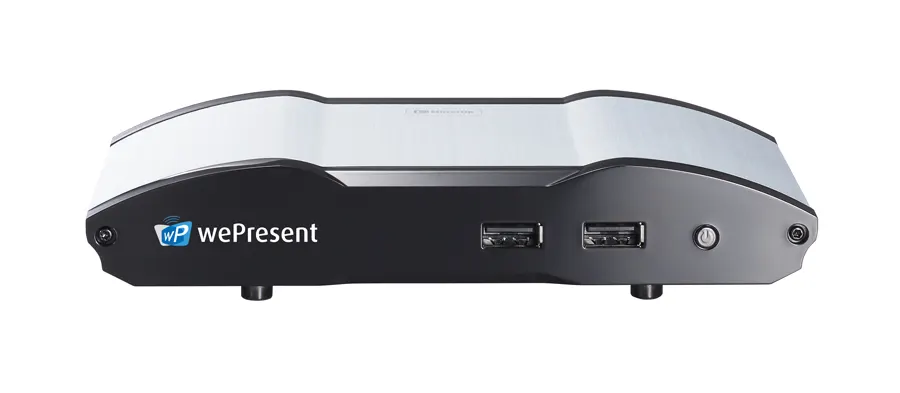
Barco wePresent WiPG-1600 Wireless Presentation System
- Connectivity
- 1 x 15 pin VGA (back)
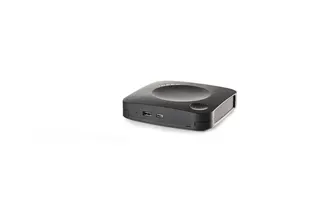
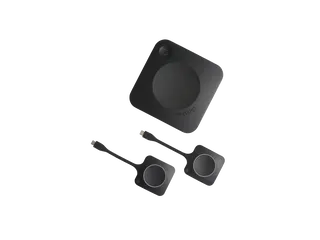
The Barco wePresent WiPG-1600 is a wireless presentation system for up to 64 connected users, with HDMI and VGA outputs at up to 1080p. It accepts Windows, macOS, Android, iOS and Chromebook sources and reaches up to 30 m. Barco has discontinued this model, so organisations in Qatar that already own it, or are comparing options, should request a quote for its replacement, the ClickShare C-10.
What the wePresent WiPG-1600 does in a meeting room
The wePresent WiPG-1600 is a wireless presentation device from Barco's wePresent series. It connects to a display through its HDMI or VGA output and lets participants share content from laptops, tablets and phones without cables. Barco's data lists support for up to 64 connected users, and up to four sources can be shown at the same time using a fixed screen layout.
Barco has discontinued this model. Its listed replacement is the ClickShare C-10, and SmartRooms Qatar can quote for that current equivalent or for another wireless presentation option that suits your room.
Specifications that matter for planning
The figures below come from the manufacturer's data and help you judge whether this unit meets your requirements:
- Outputs: one HDMI and one VGA port, with audio out over HDMI or a 3.5 mm analog jack.
- Resolution and frame rate: output up to 1080p at up to 30 fps.
- Connectivity: an RJ-45 Ethernet LAN port, WPA, WPA2 PSK and WPA enterprise authentication, and a listed reach of up to 30 m.
- Ports and controls: three USB 2.0 ports (two at the front, one at the back), a stereo phone jack, an LED power button and a reset button.
- Power and size: external adaptor rated 5VDC and 2.6A; 159 x 91 x 29.9 mm and 275 g without packaging.
- Operating conditions: 0°C to 40°C, with an operating humidity range listed as 90%.
Supported operating systems include Windows 7, 8 and 10 and later, macOS 10.9 and 10.10 and later, Android 4 and later, iOS 7 and later, and Chromebook. iOS devices can connect through AirPlay, which suits teams that present from iPhones and iPads.
Where it fits in Qatar
- A seminar room in Education City: visiting researchers and local faculty can present from their own laptops to one screen, with the 64-user limit covering larger sessions.
- A government ministry office in Doha: staff working in Arabic and English can share documents from Windows and Mac laptops on the same display, and the Ethernet port is available where network policy requires a wired connection.
- A staff room in a private school in Al Wakrah: teachers can present from tablets and phones, and the 30 m listed reach covers a single room when the Wi-Fi signal is strong at the unit's position.
What to plan before ordering
- Check the display inputs, as the unit outputs only through HDMI or VGA.
- Confirm the Wi-Fi authentication method with your IT team, since the unit supports WPA, WPA2 PSK and WPA enterprise.
- The data lists a 5VDC, 2.6A adaptor but no mains input rating, so ask SmartRooms Qatar to check it against Qatar's 240 V, 50 Hz supply and BS 1363 sockets before connecting it.
- Keep the unit within 0°C to 40°C and away from direct sunlight and unventilated hot cabinets. Summer temperatures in Qatar can exceed 45°C, so use an air-conditioned room.
Request a quote
If you already own a wePresent WiPG-1600 and are planning a replacement, or you are choosing a device for a new meeting room, send us the room size, screen type and number of users. SmartRooms Qatar delivers to all eight municipalities of Qatar, offers free site surveys and usually issues quotations within one working day. Request a quote and we will recommend the current equivalent for your room.
Highlights
- Supports up to 64 connected users
- Outputs up to 1080p at 30 fps via HDMI or VGA
- Works with Windows, macOS, Android, iOS and Chromebook
- Up to four sources shown at once with a fixed layout
- WPA, WPA2 PSK and WPA enterprise authentication
- Discontinued by Barco; listed replacement is ClickShare C-10
Room fit
Tell us the room size and platform (Teams, Zoom or BYOD) and we confirm the right combination with your quotation.
Estimated timeline
Quotation within 1 working day · delivery timing depends on stock availability, and we confirm it with your quotation.
Specifications
General specifications15
- Operating system
- Windows 7/8/10 and above Mac OS X 10.9/10.10 and above Android 4 and above (MirrorOp Presenter, MirrorOp Sender for Galaxy) iOS 7 and above (MirrorOP Presenter, iOS AirPlay) Chromebook (MirrorOp Sender for Chromebook)
- Video Output
- 1 x HDMI 1 x VGA
- Frame rate
- up to 30 fps
- Output resolution
- up to 1080p
- Connected users
- up to 64
- Sources
- up to 4 simultaneously with fixed screen layout
- Audio Outputs
- HDMI analog via audio jack 3.5mm
- Authentication protocol
- WPA WPA 2 PSK WPA enterprise
- Reach
- up to 30m
- Interfaces
- 1 x 15 pin VGA (back) 1 x RJ-45 ethernet LAN (back) 1 x HDMI (back) 2 x USB 2.0 (front) + 1 x USB 2.0 (back) 1 x Stereo phone jack (back) 1 x LED power button (front) 1 x Reset button (bottom)
- Power
- External power adaptor (5VDC, 2.6A)
- Weight
- 275g (without packaging)
- Dimensions
- 159x91x29.9mm ( without packaging)
- Operating temperature range
- 0° C~40°C
- Operating humidity range
- 90%