Teach Infinity II
Newline Teach Infinity II Interactive Teaching Software
The manufacturer has discontinued Newline Teach Infinity II, a lesson annotation and preparation software for teachers. It provides backgrounds such as grids, lined pages and staff paper, editable maths, physics and chemistry tools, a built-in calculator, and smart pens that straighten handwriting and shapes. Schools and training centres in Qatar that already own it, or are comparing it with newer tools, should request a quote for a current equivalent or compatible replacement from SmartRooms Qatar.
What Teach Infinity II is and why it matters now
Teach Infinity II is annotation and lesson-preparation software from Newline, designed for teachers and educators who build interactive lessons on a computer. The manufacturer has discontinued this model, so it is no longer sold as a current product. Schools and training centres in Qatar that already run it, or that are comparing it with newer tools, can use this page to request a quote for a current equivalent or a compatible replacement.
Backgrounds and subject tools for classroom lessons
Teachers can start from grids, lined pages, staff paper and many other backgrounds, or bring in their own. Maths, physics and chemistry lessons are supported by a large list of editable tools, including 3D tools, a built-in calculator, rulers and compasses. These tools sit directly on the document or background being taught, so a teacher does not need to switch between separate applications to demonstrate a calculation or a diagram.
Handwriting, files and multimedia in one workflow
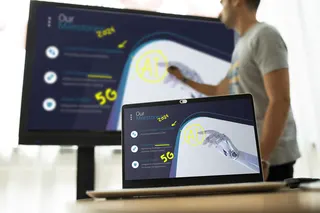
The smart pen recognises handwriting and straightens both words and shapes, which helps rough sketches become clean diagrams during a lesson. A separate gesture pen moves between pages with a simple movement, so the teacher can stay facing the class. Existing files can be imported and marked up by writing over them, highlighting key areas or covering sections to reveal later. Photos and videos can be inserted, and a screenshot can be annotated while the video keeps playing. Finished work is exported into the file format you choose.
Where it fits in Qatar
- Secondary science in Al Rayyan: a chemistry department preparing practical lessons with diagrams, equations and a built-in calculator on shared worksheets.
- University training in Education City: instructors who import existing course slides, annotate them live and export the marked version for students.
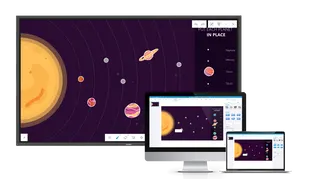
- Office huddle room in West Bay: a team that shares annotated material wirelessly in a meeting room or huddle space.
What to confirm before you request a quote
Teach Infinity II is software, and the source data does not list processor, memory or operating system requirements beyond the Mac and Windows installers the manufacturer provides. Before ordering, confirm which computers and classroom displays will run it, and check that the teaching team has the interface languages it needs. The manufacturer's multi-language page lists up to 23 languages, including Chinese, English, Japanese and Spanish. Arabic is not on that list, so ask the SmartRooms Qatar team to confirm Arabic text support before you commit. If the software will run in a space without air conditioning, confirm the hardware environment as well, because no operating temperature range is given for the software.
Planning a replacement or rollout
- List every device that needs the software, so the quotation matches the rollout.
- Check that your existing lesson files and templates can be imported.
- Compare backgrounds, subject tools and export formats against the current option.
- Ask about the wireless presentation setup if you use meeting rooms or huddle spaces.
SmartRooms Qatar supplies organisations across Qatar with delivery to all 8 municipalities. We accept purchase orders and government tenders, including Monaqasat, and quotations usually come within one working day. Request a quote today and tell us your current setup and the number of users, and we will recommend a current equivalent or compatible replacement.
Highlights
- Discontinued by the manufacturer; quote for a current replacement
- Backgrounds for grids, lined pages, staff paper or your own files
- Editable maths, physics and chemistry tools with a built-in calculator
- Smart pens recognise handwriting and straighten words and shapes
- Import, annotate, screenshot and export files in your chosen format
- Wireless presentation for meeting rooms and huddle spaces
Estimated timeline
Quotation within 1 working day · delivery timing depends on stock availability, and we confirm it with your quotation.